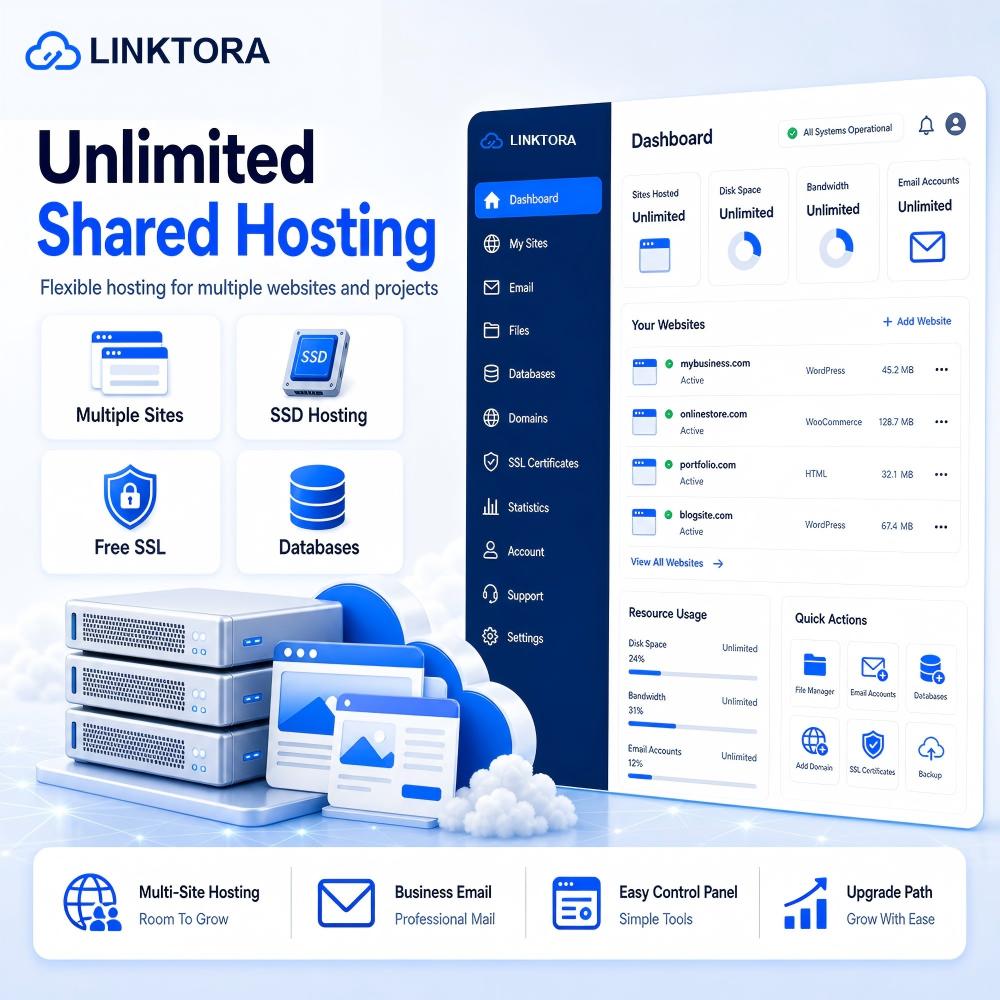
Unlimited Shared Hosting
Unlimited Shared Hosting
Linktora Unlimited Shared Hosting is designed for users who need room to grow. Host multiple websites, manage business emails, create databases and run your online projects with reliable SSD-based hosting and simple control panel access.
Product Details
Overview
Linktora Unlimited Shared Hosting gives growing website owners a flexible hosting environment for managing multiple online projects from one account. It is built for entrepreneurs, agencies, bloggers, creators and small businesses that need more space, more websites and more everyday hosting convenience without moving directly to a VPS.
With SSD storage, free SSL support, email accounts, database access and a simple hosting control panel, this plan helps you launch and maintain websites with less technical complexity. Whether you are building several brand sites, running client landing pages, testing new ideas or expanding your content network, Linktora Unlimited Shared Hosting provides a practical foundation for day-to-day web hosting.
Who It Is For
This plan is suitable for customers who have outgrown basic hosting but still want an easy managed hosting experience. It works well for small teams, agencies, freelancers, content publishers and business owners who need to host more than one website.
Choose Unlimited Shared Hosting if you want a cost-effective plan for multiple sites, emails and databases while keeping website management simple. If you need root access, custom server-level configuration or isolated compute resources, a Cloud VPS plan may be more appropriate.
Core Features
Linktora Unlimited Shared Hosting focuses on flexibility and ease of use. Customers can manage websites, domains, email accounts, databases, files, SSL settings and backups from a simplified hosting environment.
The plan includes SSD-based storage for responsive website performance, SSL support for secure browsing, database support for CMS websites, email hosting for professional communication and a control panel designed for everyday website management. It is a good fit for WordPress websites, business pages, portfolios, blogs, lead generation websites and small content projects.
Service Notes
This is a digital hosting service. No physical goods will be shipped. After order confirmation and payment verification, service access details will be delivered electronically through email or customer account communication.
Shared Hosting resources are provided within a managed shared server environment. Customers are responsible for their website content, domain configuration, installed scripts, email usage and compliance with the acceptable use policy. Excessive resource usage, spam, phishing, malware, copyright-infringing content or abusive activity may lead to restriction or suspension.
Configuration
|
Item |
Specification |
|
Websites |
Multiple websites supported |
|
Storage |
SSD storage allocation for growing websites |
|
Bandwidth |
Generous monthly traffic allowance |
|
SSL |
Free/basic SSL support |
|
Email Accounts |
Business email accounts supported |
|
Databases |
MySQL database support |
|
Control Panel |
Web-based hosting control panel |
|
CMS Support |
WordPress and common PHP-based websites |
|
Backups |
Basic backup options or add-on backup service |
|
Support |
Ticket/email support for hosting-related issues |
Applicable Scenarios
· Multiple small business websites
· Personal brand sites and portfolios
· WordPress blogs and content websites
· Landing pages for campaigns
· Agency-managed client websites
· Company microsites and project pages
· Starter eCommerce or catalog websites with moderate traffic
FAQ
FAQ
1. What is the difference between Cloud VPS and Shared Hosting?
Cloud VPS provides dedicated virtual server resources such as vCPU, RAM and storage, giving you more control, flexibility and scalability. It is suitable for developers, growing websites, applications and businesses that need better performance.
Shared Hosting places multiple websites on a shared server environment. It is easier to manage and more affordable, making it ideal for personal websites, small business sites, portfolios and simple company websites.
2. Which hosting option should I choose?
Choose Shared Hosting if you want a simple, affordable hosting plan for a website, blog, portfolio or small business page.
Choose Cloud VPS if you need more server control, higher performance, root access, custom software installation or scalable resources for growing projects.
3. Is technical knowledge required?
For Shared Hosting, basic website knowledge is usually enough. The hosting environment is simplified and easier to manage.
For Cloud VPS, some server administration knowledge may be required, especially if you plan to manage Linux, SSH, firewall rules, databases or custom applications yourself. If you are not familiar with server management, a managed plan or technical assistance may be recommended.
4. How long does setup take after purchase?
Most hosting services are provisioned after order confirmation and payment verification. Shared Hosting accounts are usually activated quickly, while Cloud VPS deployment may take a short period depending on the selected configuration, operating system and review requirements.
In normal cases, access details will be provided after the service is ready.
5. Do you provide a control panel?
Shared Hosting generally includes a user-friendly hosting control panel for managing websites, domains, email accounts, databases, files and SSL settings.
Cloud VPS may include a server management panel or console depending on the selected plan. Some VPS plans may require customers to manage the server via SSH or remote access.
6. Can I upgrade my hosting plan later?
Yes. Hosting plans can usually be upgraded when your website or application grows. You may upgrade resources such as CPU, RAM, storage, bandwidth or service level depending on the product type.
For Cloud VPS, upgrades may involve resource scaling.
For Shared Hosting, upgrades may involve moving to a higher hosting plan.
7. Can I host WordPress websites?
Yes. Both Cloud VPS and Shared Hosting can be used to host WordPress websites.
Shared Hosting is suitable for standard WordPress sites, blogs and small business websites.
Cloud VPS is better for high-traffic WordPress sites, WooCommerce stores, custom plugins, staging environments and performance-sensitive projects.
Service Notes
Service Notes
1. Service Type
Cloud VPS and Shared Hosting are digital infrastructure services. No physical goods will be shipped. After successful payment and order review, service access details will be delivered electronically through email, customer account dashboard or support communication.
2. Account Activation
Service activation may require successful payment confirmation and basic order verification. Some orders may be reviewed manually for fraud prevention, abuse prevention or security reasons.
Estimated activation time may vary depending on the selected product, configuration and payment status.
3. Billing Cycle
Hosting services are generally billed on a recurring basis, such as monthly or yearly billing. The selected billing cycle will be displayed during checkout or in the product description.
Customers are responsible for renewing services before expiration to avoid service suspension or data loss.
4. Renewal and Expiration
If a service is not renewed before the due date, it may be suspended. If the service remains unpaid after the grace period, it may be terminated and associated data may be permanently deleted.
Customers should renew on time or enable automatic renewal if available.
5. Resource Allocation
Each hosting plan includes specific resource limits such as CPU, RAM, storage, bandwidth, websites, email accounts or databases. These resources are subject to fair usage and technical availability.
Cloud VPS resources are generally more isolated and scalable. Shared Hosting resources are shared across a managed server environment.
6. Acceptable Use
The service must be used for lawful and legitimate purposes. Prohibited activities may include but are not limited to:
- Spam or bulk unsolicited email
- Phishing or fraudulent websites
- Malware, viruses or harmful scripts
- Copyright-infringing content
- Illegal file sharing
- Network abuse or port scanning
- DDoS activity or attack traffic
- Botnet, command-and-control or abusive automation
- Hosting content that violates applicable laws or platform policies
Accounts involved in abusive activity may be suspended or terminated.
Share